
Download Inventory Bar Code Labels – barcode labels, inventory management, business tools, label printing, bar code generator, product tracking, inventory software, mobile labeling, barcode creation, label maker
Overview
Inventory Bar Code Labels is a mobile application designed to support business users in creating and printing barcodes for inventory tracking and product management. The app serves as a practical tool for small to medium-sized enterprises that require efficient, on-the-go labeling solutions. By enabling users to generate customized barcodes directly from their smartphones or tablets, the app streamlines the process of labeling stock, products, and assets.
Its primary purpose is to reduce manual data entry errors and improve operational efficiency in inventory workflows. Users can design barcodes with specific formatting options, such as column layout, spacing, and color, to match their organizational standards. This makes it particularly useful in retail, warehouse, and logistics environments where consistent labeling is essential.
Developed by Arnold A. Howe, the app has been available since 2013, indicating a long-standing presence in the productivity space. Although the developer did not provide additional technical details about the development philosophy or user base, the app’s continued availability suggests reliability and functional consistency over time. It is especially suited for users who need a lightweight, no-cost solution for mobile barcode creation and printing.
Within the broader app ecosystem, Inventory Bar Code Labels fills a niche for users seeking a straightforward, offline-capable tool without the complexity of full-scale enterprise inventory systems. Its focus on core functionality—barcode generation and printing—makes it a dedicated utility for specific business needs.
Key Features & Functionality
- User-Friendly Interface: The app features an intuitive layout that simplifies the barcode creation process. Users can quickly access tools and settings without prior training, reducing setup time and improving workflow efficiency.
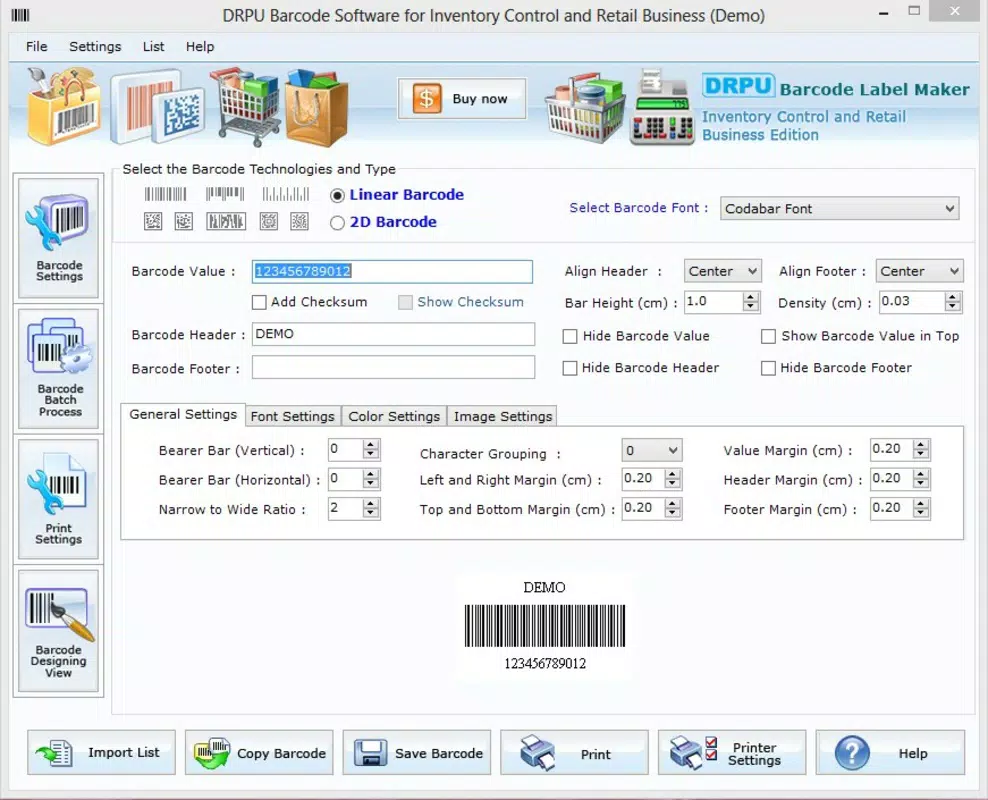
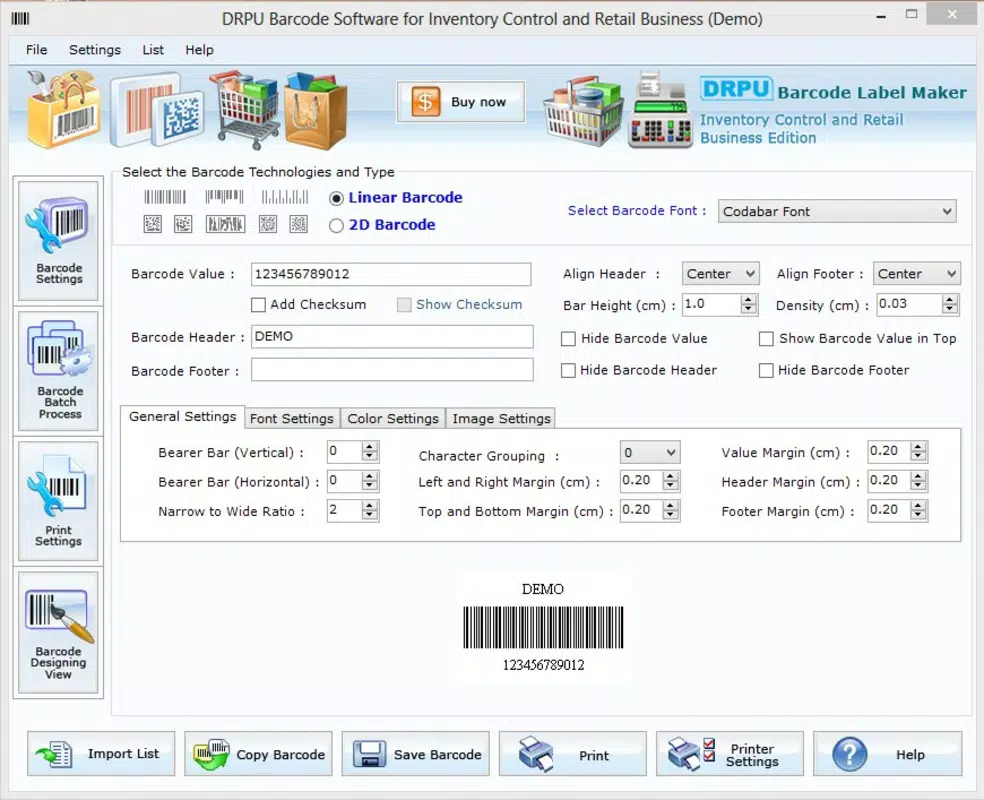
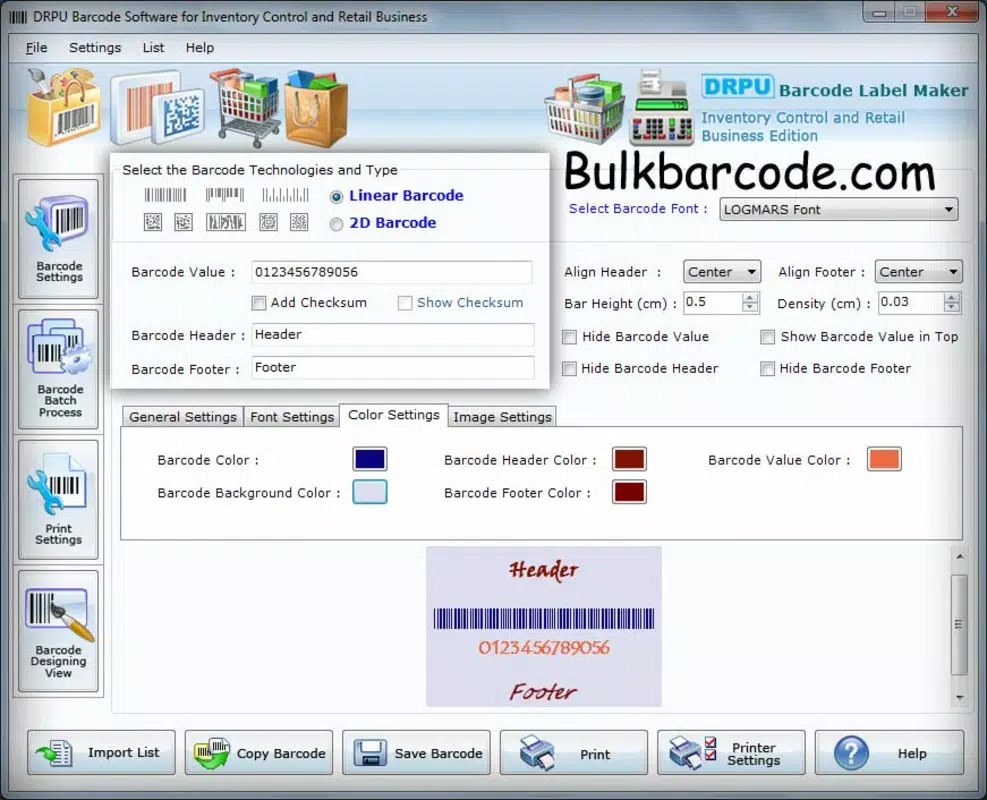
- Customizable Barcode Options: Users can adjust the number of columns, spacing between labels, and choose colors for barcode bars and product names. This flexibility supports branding and visual organization across different inventory categories.
- Multiple Save Formats: Designed barcodes can be exported in JPEG, TIFF, BMP, PNG, and WMF formats. This ensures compatibility with various printing services, document management systems, and internal workflows.
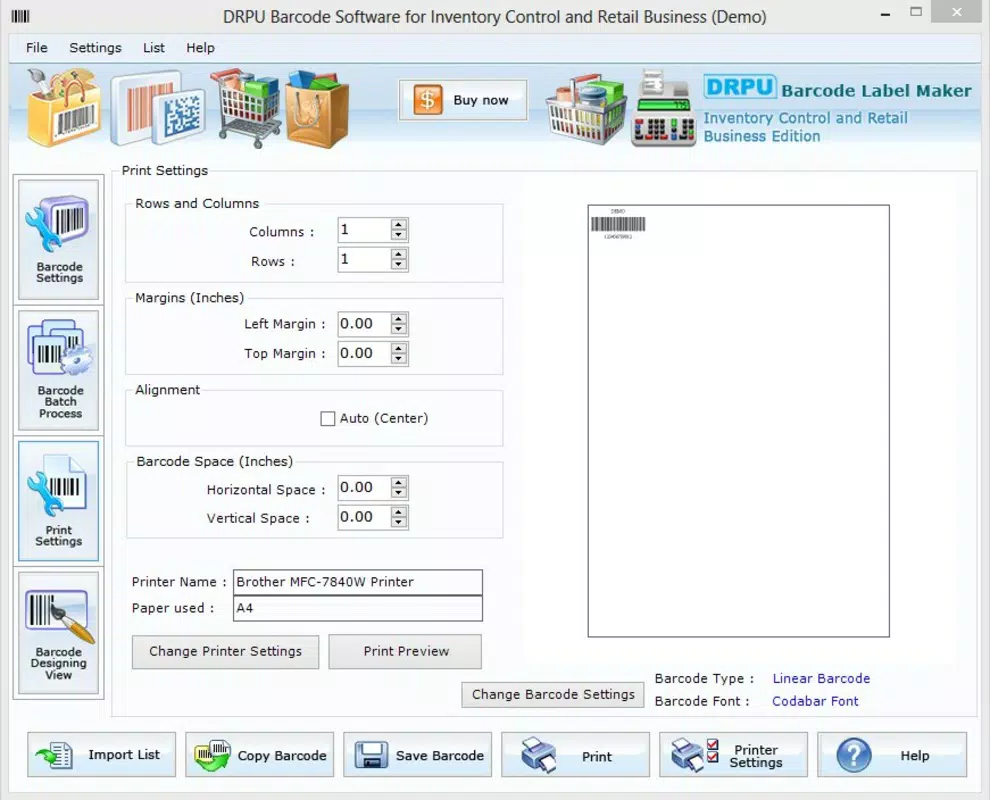
- Direct Printing Capabilities: The app allows users to print barcodes directly from the device, eliminating the need to transfer files to external software. This integration supports faster turnaround in labeling operations.
- Complete Barcode Creation Process: From initial design to final output, the app guides users through each stage of label creation. This end-to-end support is ideal for users who require full control over their labeling process without relying on third-party tools.
For example, a retail manager can use the app to generate a batch of product labels with custom colors and spacing, save them in PNG format for digital storage, and print them immediately using a compatible mobile printer. Similarly, a warehouse supervisor could create a set of asset tags with specific column layouts for shelf organization, ensuring consistency across multiple locations.
Interface, UX & Performance
The app’s user interface is designed with simplicity in mind, featuring a clean layout that prioritizes accessibility. Navigation is straightforward, with essential tools and settings placed within easy reach. The visual style is minimalistic, focusing on functionality rather than decorative elements, which contributes to faster interaction and reduced cognitive load.
Users can expect a smooth experience when creating and adjusting barcode layouts. The app responds promptly to input changes, such as modifying column counts or adjusting spacing, indicating stable performance under normal usage conditions. Although the developer did not list formal performance metrics, the app’s lightweight size of 1.2 MB suggests optimized resource usage, making it suitable for older or entry-level Android devices.
Responsiveness across different screen sizes and resolutions appears to be well-managed, though specific compatibility details were not disclosed. Stability is implied by the app’s long-term availability and consistent functionality. Users can rely on the app to maintain its core operations without unexpected crashes or data loss during typical use.
Performance on high-end devices may be even smoother, but the app’s design suggests it is built to function reliably across a wide range of hardware configurations.
Platform Compatibility & Technical Requirements
Inventory Bar Code Labels is available on the Android platform. The current software version is 1.1, and the app has a file size of 1.2 MB, making it a lightweight download ideal for users with limited storage space.
While the app’s compatibility with specific Android OS versions was not listed, its long-standing presence suggests it supports a broad range of Android releases. However, the developer did not specify minimum OS requirements, so users should verify compatibility with their device’s operating system before installation.
As a free application, it does not require a subscription or in-app purchases. The app is designed to function primarily offline, allowing users to create and save barcodes without an internet connection. This enhances usability in environments with limited connectivity, such as warehouses or field operations.
Pros and Cons
Pros
- Lightweight and fast-loading due to small file size (1.2 MB).
- Free to download and use with no hidden costs.
- Direct printing support simplifies the labeling workflow.
- Multiple export formats ensure broad compatibility.
- Simple interface reduces the learning curve for new users.
Cons
- Specific OS version requirements were not disclosed.
- No information on support for external printer models or connectivity types.
- Limited feature set compared to full-featured inventory software.
- Developer did not provide update frequency or future roadmap.
- Compatibility with newer Android versions is uncertain without official confirmation.
FAQ
Is Inventory Bar Code Labels safe to download and install?
The app is available through official Android channels and has been verified as free from known malware. As with any third-party application, users should ensure they download from trusted sources.
Can I use this app on iOS devices?
Currently, the app is only available for Android. No iOS version has been released or announced.
Does the app require an internet connection?
While the app can function offline, some features may require connectivity for updates or cloud-based printing options. However, core functionality such as barcode creation and local printing does not depend on internet access.
How often is the app updated?
The developer did not specify the update frequency. Users should monitor the app store for new versions.
Can I print barcodes using a mobile printer?
Yes, the app supports direct printing, which may include mobile printers. However, compatibility with specific models was not detailed by the developer.
Final Thoughts
Inventory Bar Code Labels offers a focused, no-frills solution for businesses needing to generate and print barcodes on mobile devices. Its lightweight design, free pricing, and straightforward interface make it a practical choice for users who prioritize efficiency and simplicity. While it lacks advanced features found in enterprise-grade systems, it excels in its core purpose: enabling quick, customizable barcode creation and printing.
It is particularly valuable for small business owners, warehouse staff, and retail professionals who require a reliable tool for daily labeling tasks. The app’s ability to save in multiple formats and print directly enhances its utility in real-world workflows.
For users seeking a secure, offline-capable, and cost-effective barcode labeling solution, Inventory Bar Code Labels remains a solid option. Its long-standing presence in the Android ecosystem speaks to its durability and consistent performance.
Download Inventory Bar Code Labels now


